
Metronome
Practice guitar timing with adjustable BPM, beats, subdivisions, tap tempo, tempo detection, saved presets, and background metronome playback.
The Guitar Wiz metronome gives guitar practice a steady pulse. Set a tempo in beats per minute, choose the beats and subdivisions, and use the click to hear whether your strumming, picking, or chord changes stay in time.
Set tempo, beats, and subdivisions
Choose a BPM that lets you play the passage cleanly. Adjust the number of beats and the subdivision to suit the exercise, whether you are counting a simple pulse, eighth notes, triplets, or a more detailed rhythm. Tap Tempo helps you estimate a speed by tapping along with a song.
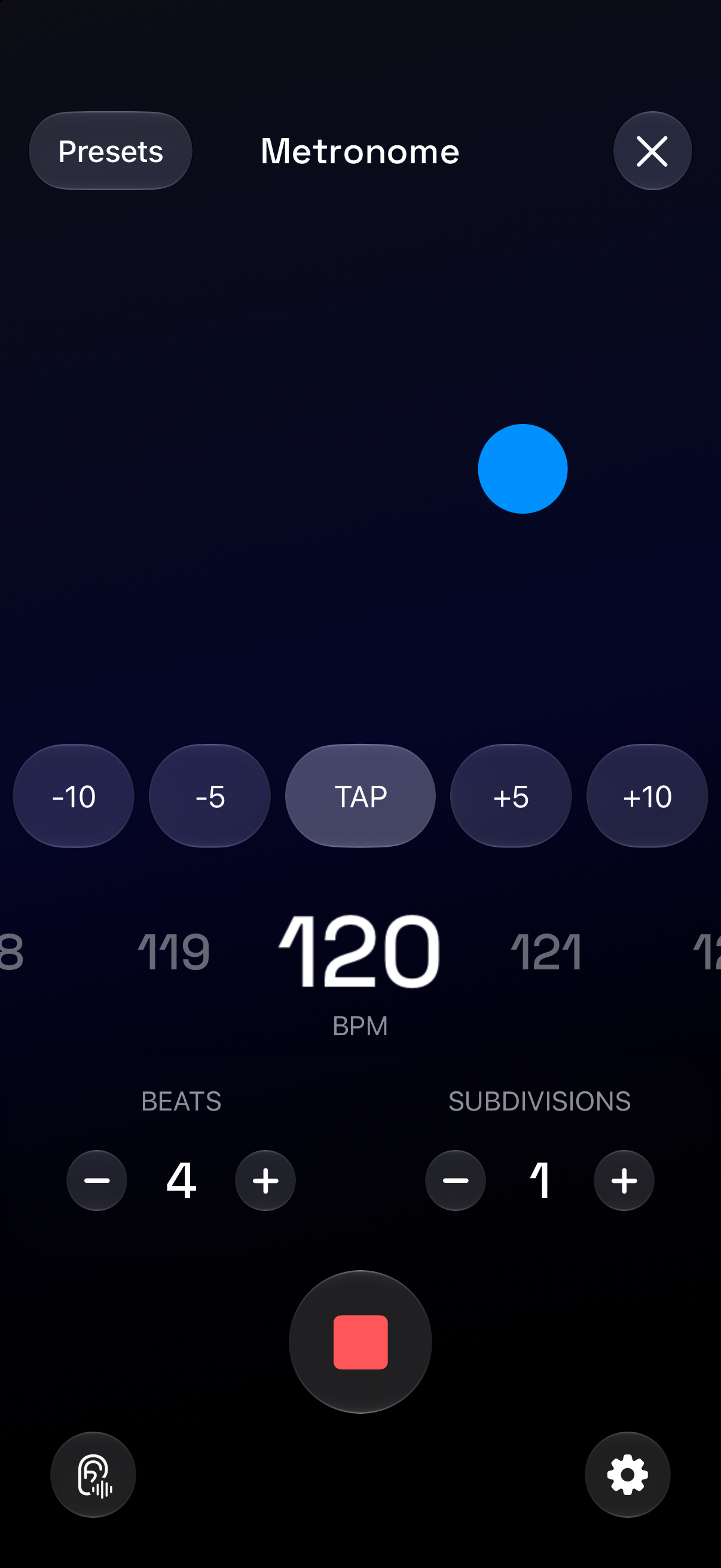
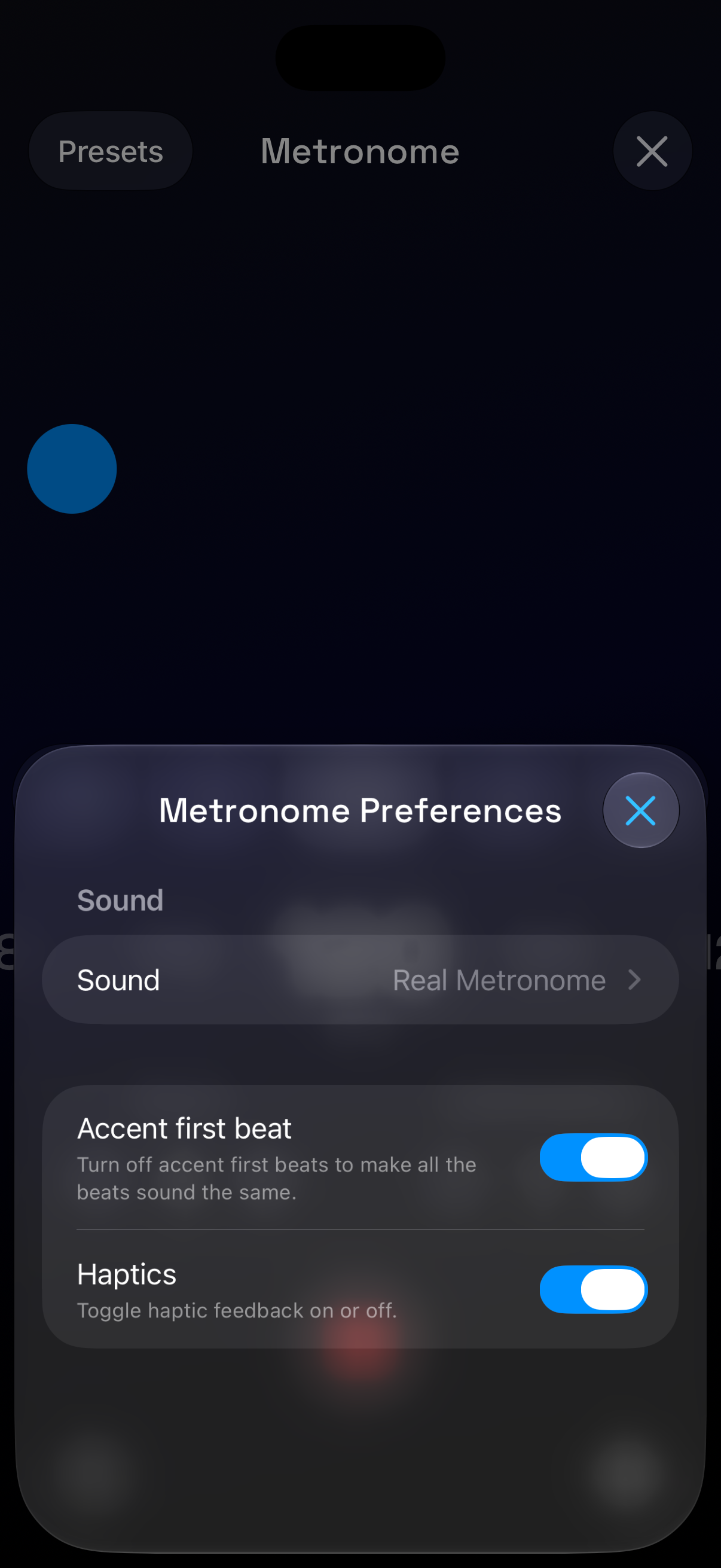
The preferences shown above include the metronome sound, a first-beat accent, and haptic feedback. An accented first beat helps you hear where a new bar begins. Pick the combination that gives you a clear cue without overwhelming the sound of your guitar.
Match a song’s tempo
Guitar Wiz can listen to music playing nearby, detect its tempo, and set the Metronome to that BPM. This provides a starting point when practicing with a recording or checking the pace of an arrangement. Listen to the beat as well: half-time and double-time interpretations can both be useful depending on what you are practicing.
Keep the beat while you use other tools
The metronome supports background playback, so you can switch to a chord diagram or another app while it runs. Live Activity and Dynamic Island controls keep the active tempo within reach on supported devices. Explore Widgets and Live Activities for the different ways to reach those controls.
Siri can start or stop the Metronome, set a BPM, and help detect a song’s tempo. Save presets when you want to return to particular tempo, beat, and subdivision settings without setting them up again.
A simple guitar practice exercise
Choose two familiar chords and make one change every four beats. Start slowly enough to arrive before the next first beat, then keep the same tempo until the transitions sound even. Gradually increase the speed only when you can repeat the change without rushing.
For a longer practice plan, read how to practice with a metronome. When you want a fuller accompaniment, try Chord Progressions or build a backing track in Song Maker.

