
Guitar Song Maker & Backing Track Creator
Create guitar songs and backing tracks from chords. Arrange sections, choose patterns for guitar, bass, and drums, and export WAV audio.
Song Maker turns guitar chords into songs and backing tracks. Arrange chord sequences into sections, choose an accompaniment pattern, and hear guitar, bass, and drums play the result. It is useful for sketching a song, practicing a progression, or making a track to improvise over.
Build a song from chords
Start a song and add chords to a section. The chord picker gives you access to recently used and suggested chords, helping you develop an idea without repeatedly searching the whole library. Listen as you work and change the sequence until the harmony fits the phrase you have in mind.
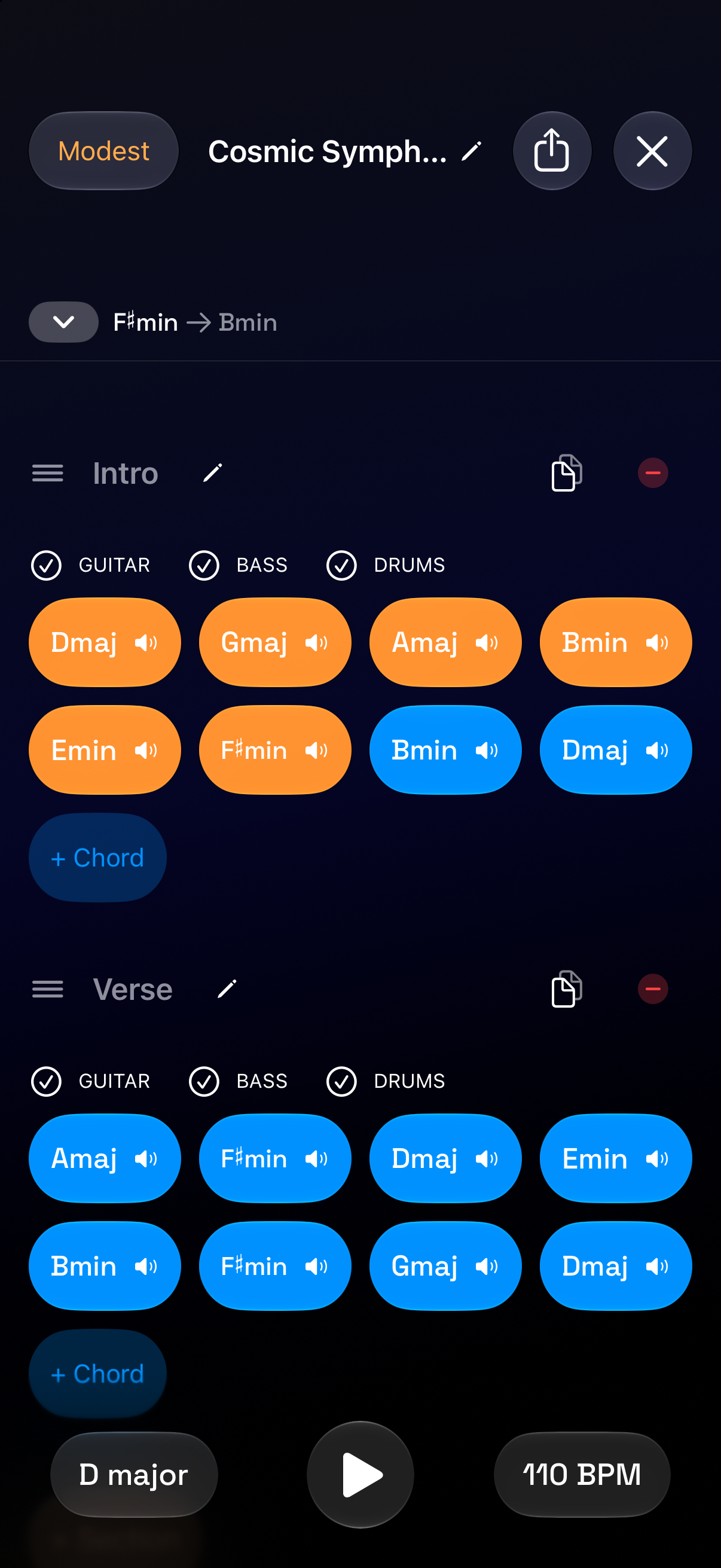
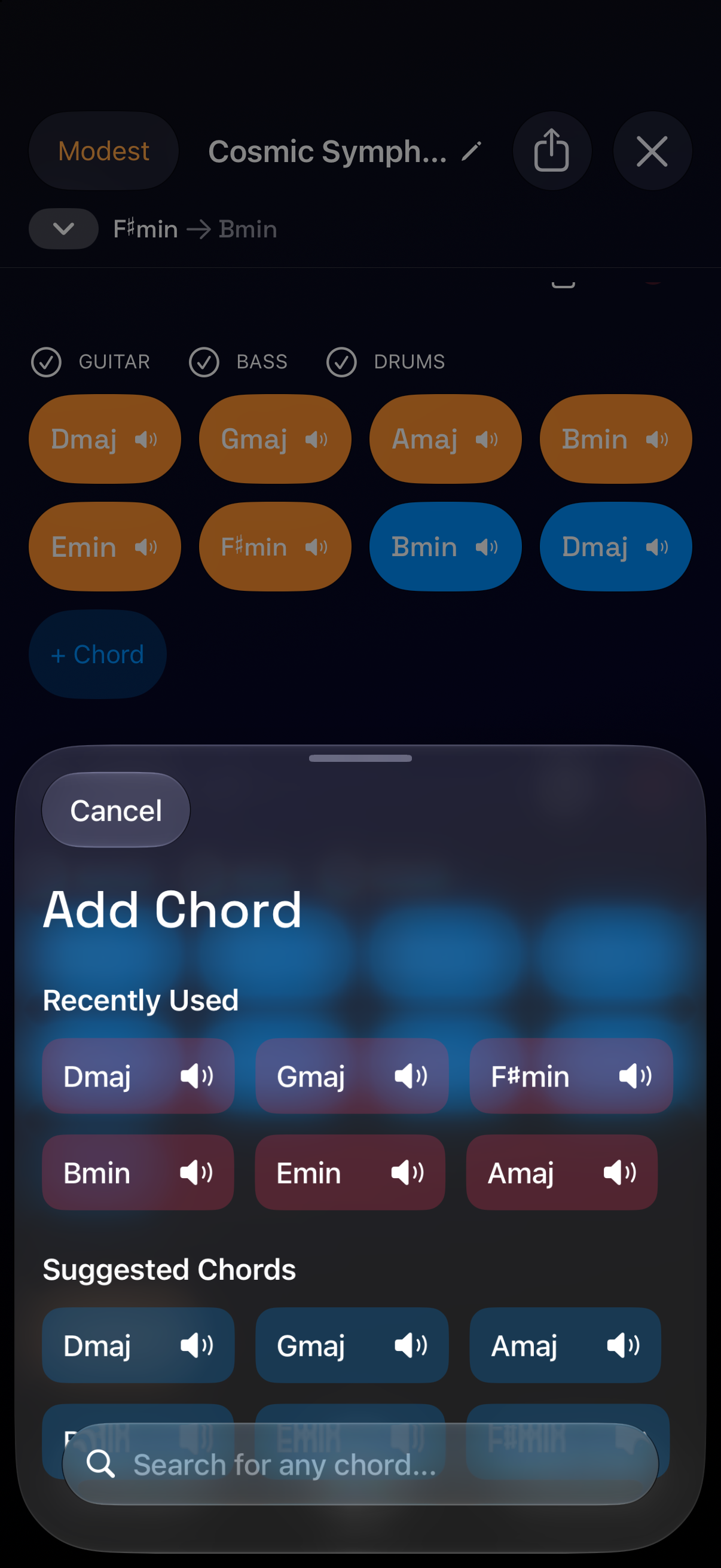
You do not need to start with a complete song. A short four-chord loop can be enough for practicing a melody, testing lyrics, or working on chord transitions. Use the chord library to inspect an unfamiliar chord before putting it in the arrangement.
Arrange sections and choose an accompaniment
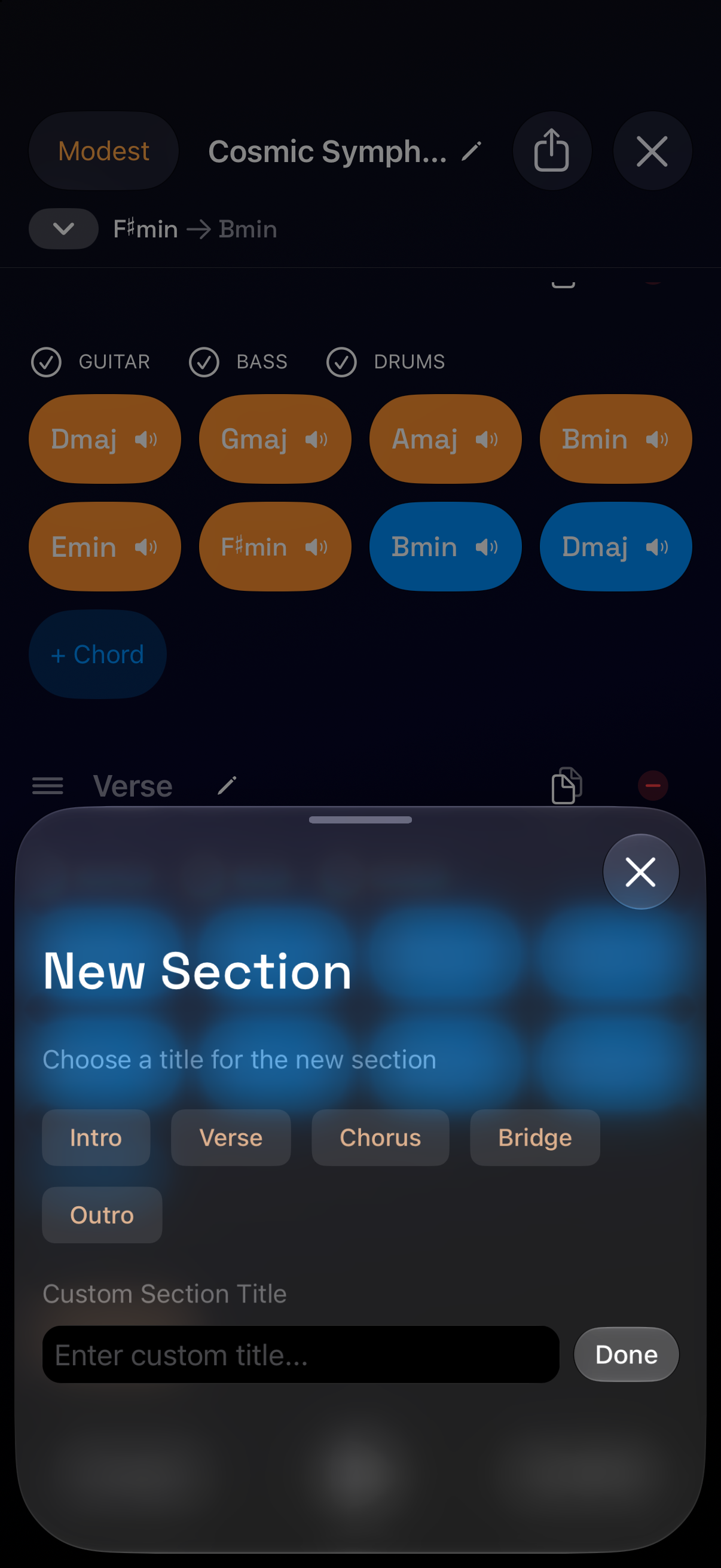
Add an Intro, Verse, Chorus, Bridge, Outro, or a section with your own title. Sections let you organize changes in the harmony rather than placing every chord in one long undifferentiated sequence.
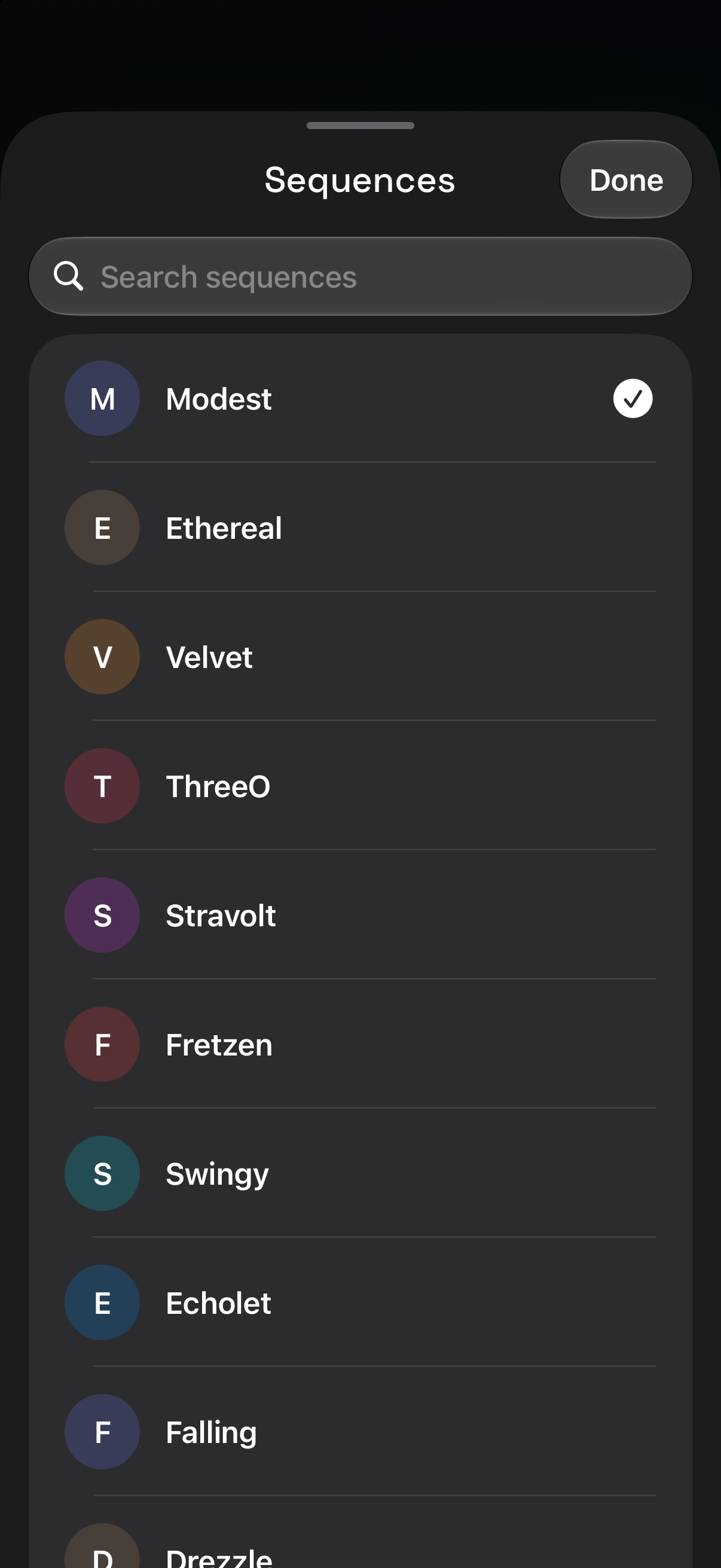
Choose an accompaniment sequence and set the tempo to hear the same chords in a different rhythmic setting. A change in pattern can make a familiar progression feel more spacious, more active, or more suitable for a particular melody.
Practice with guitar, bass, and drums
Control the guitar, bass, and drum parts for individual sections. Mute the guitar when you want to supply that part yourself, or reduce the accompaniment when you need to hear your timing more clearly. Restore the other parts to hear how your playing fits the fuller arrangement.
This makes Song Maker useful as a guitar backing-track creator as well as a songwriting tool. Try keeping the chords and tempo fixed while experimenting with different rhythms or lead phrases.
Export a WAV backing track
Export the finished track as a high-quality WAV audio file to share an idea, keep a practice reference, or use the audio outside Guitar Wiz. Siri actions can also help you open or manage Song Maker documents.
Looking for a starting idea? Explore the built-in Chord Progressions or read our guitar songwriting guide. The iPhone Duo layout gives the wider app interface more room when you unfold the display.

