
Explore the chords on this page.
This page is one of two views in Guitar Wiz – Chords, a single Chrome extension for understanding and playing guitar chords.
Learn how to use This page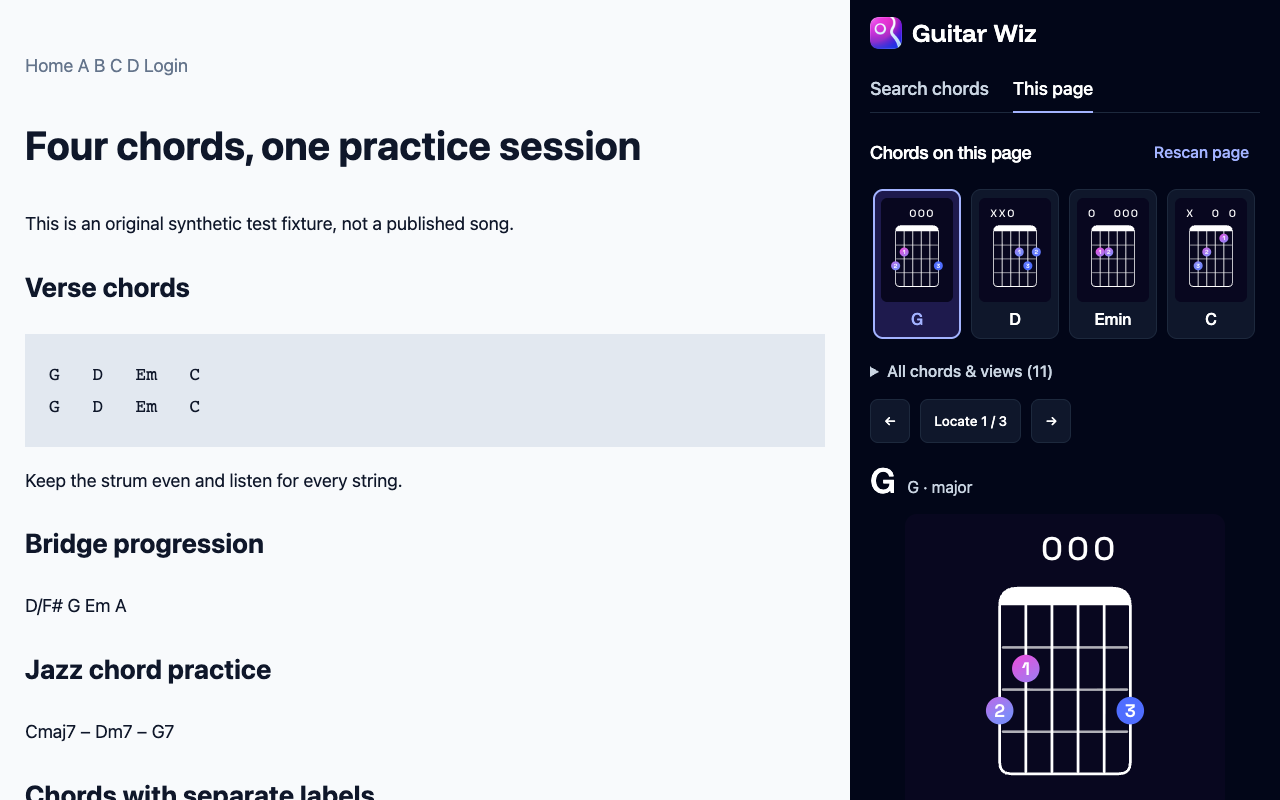
From page notation to playable shapes.
Open a page with chords
Choose a song sheet, guitar lesson or discussion with visible chord notation. Open Guitar Wiz from the Chrome toolbar.
Choose This page and scan
Click “Find chords on this page.” The side panel shows confident matches as chord thumbnails, with playable shapes and notes for the selected chord.
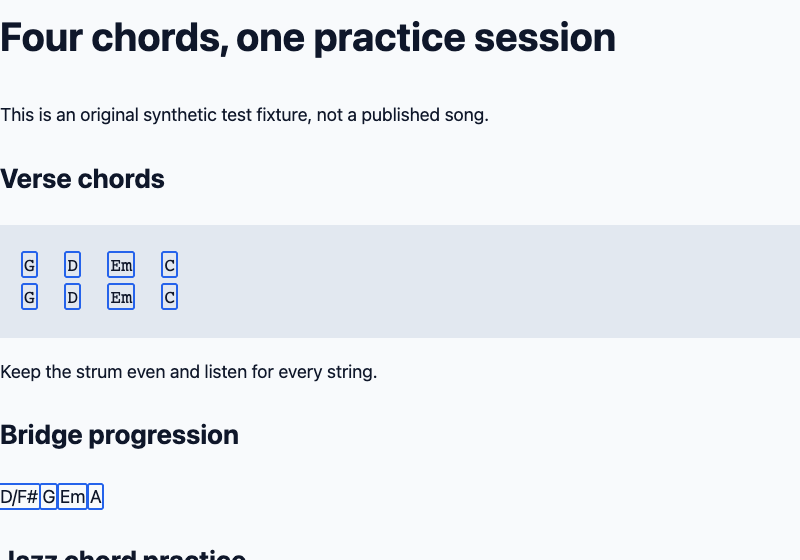
Follow the notation
Click a blue outline on the source page to open that occurrence, or use the side panel to move between matches. Hide the outlines in Scan options whenever you want.
Explore what is really on the page.
Explore detected chords as a collection, compare shapes, or see how often each chord appears. Where a page contains a clear chord sequence, follow it in reading order, transpose it, then copy or save it locally.
Slash-chord bass notes transpose with the chord. The original webpage notation stays unchanged. A source URL is included in a save only when you choose that option.
Know what scanning can read.
Detection combines chord-symbol parsing with nearby notation, line structure and musical labels. Ambiguous notation can be missed, and isolated chords are not presented as an invented progression.
Scanning reads accessible visible text in the main page. It does not recognize chords from audio, video, images, canvas, shadow roots or inaccessible frames. Chrome internal pages and the Chrome Web Store cannot be scanned.
The other view is included.
Want to look up a chord that is not on the page? Choose Search chords in the same extension.
Read the Search chords guideScanning is always user initiated. Page analysis stays in Chrome; page text is never sent to Guitar Wiz or another service. Read the privacy policy.
Included in Guitar Wiz – Chords.
The Chrome Web Store release is being prepared. Both views will be available in the same installation.
View extension availabilityExplore the website chord library, read our practice guides, or contact Guitar Wiz support.
For more practice tools on iPhone, iPad and Mac, discover the Guitar Wiz app.
