
Find a chord. Make it yours.
Search chords is one of two views in Guitar Wiz – Chords, a single Chrome extension for understanding and playing guitar chords.
Learn how to use Search chords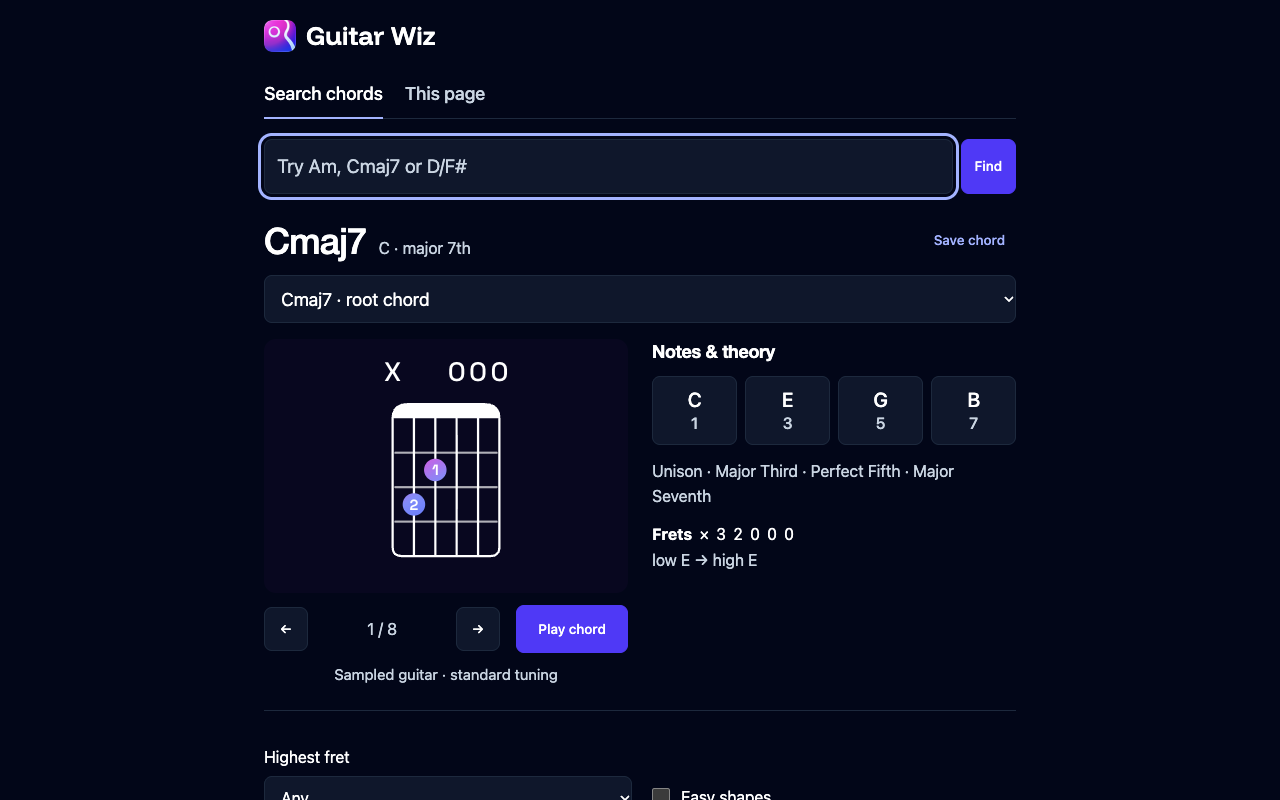
From a chord name to a playable shape.
Enter a chord
Open the Guitar Wiz toolbar popup and type a symbol or name, such as Am, Cmaj7, F sharp minor or D/F#. Choose an autocomplete result.
Choose a playable shape
Browse curated Guitar Wiz voicings. The diagram shows open and muted strings, frets and finger numbers. Shape options let you filter by highest fret or choose easier shapes.
Hear it and keep it
Play the sampled guitar voicing or tap an individual note. Save a favorite shape and reopen it later, even offline.
Go further on the fretboard.
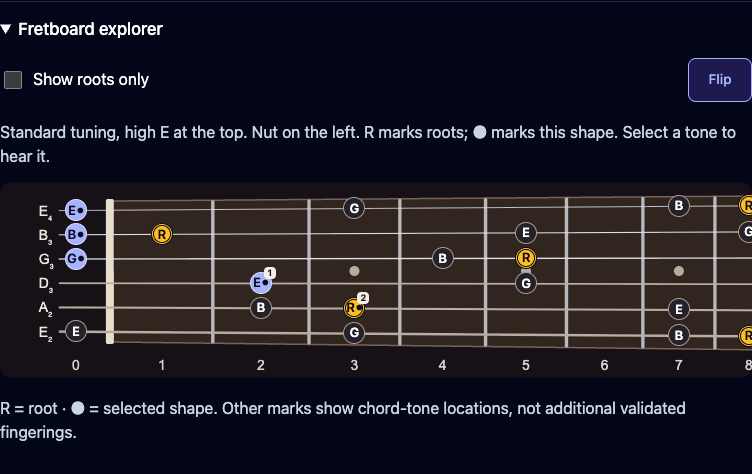
Notes, intervals and fret positions stay in view. Open Fretboard explorer to see roots in amber and the selected shape’s notes across standard tuning. Tap a tone to hear its pitch.
The neck starts with the nut on the left and high E at the top. Use Flip to change orientation; the extension remembers your choice. Fretboard marks show chord-tone locations, while the supplied library shapes provide the curated fingerings.
A reference that works offline.
The chord catalog, diagrams, font and guitar samples are bundled. Searching, playing notes and saving favorite shapes work offline, without an account or the native Guitar Wiz app.
Explore related major and minor chords, common chord families and diatonic progressions. Open the full view when you want more room.
The other view is included.
Reading a page with chord notation? Choose This page in the same extension to discover its chords beside the source.
Read the This page guideScanning is always user initiated. Page analysis stays in Chrome; page text is never sent to Guitar Wiz or another service. Read the privacy policy.
Included in Guitar Wiz – Chords.
The Chrome Web Store release is being prepared. Both views will be available in the same installation.
View extension availabilityExplore the website chord library, read our practice guides, or contact Guitar Wiz support.
For more practice tools on iPhone, iPad and Mac, discover the Guitar Wiz app.
