
Song Sheet Scanner
Scan guitar chord sheets and explore recognized chords with diagrams and audio. Use camera or image-based workflows to turn charts into practice material.
The Guitar Wiz Song Sheet Scanner recognizes chord symbols in a song sheet and connects them to playable guitar diagrams. Use it when a lyric sheet, songbook, or chord chart contains a chord you want to hear, learn, or save for practice.
Scan a chord sheet and inspect the results
Open the Song Sheet Scanner and capture a clear image of the sheet. Keep the chord names readable and avoid shadows, glare, and steep camera angles. The scanner identifies chord symbols and highlights the detected chords so you can investigate them without looking up each name separately.
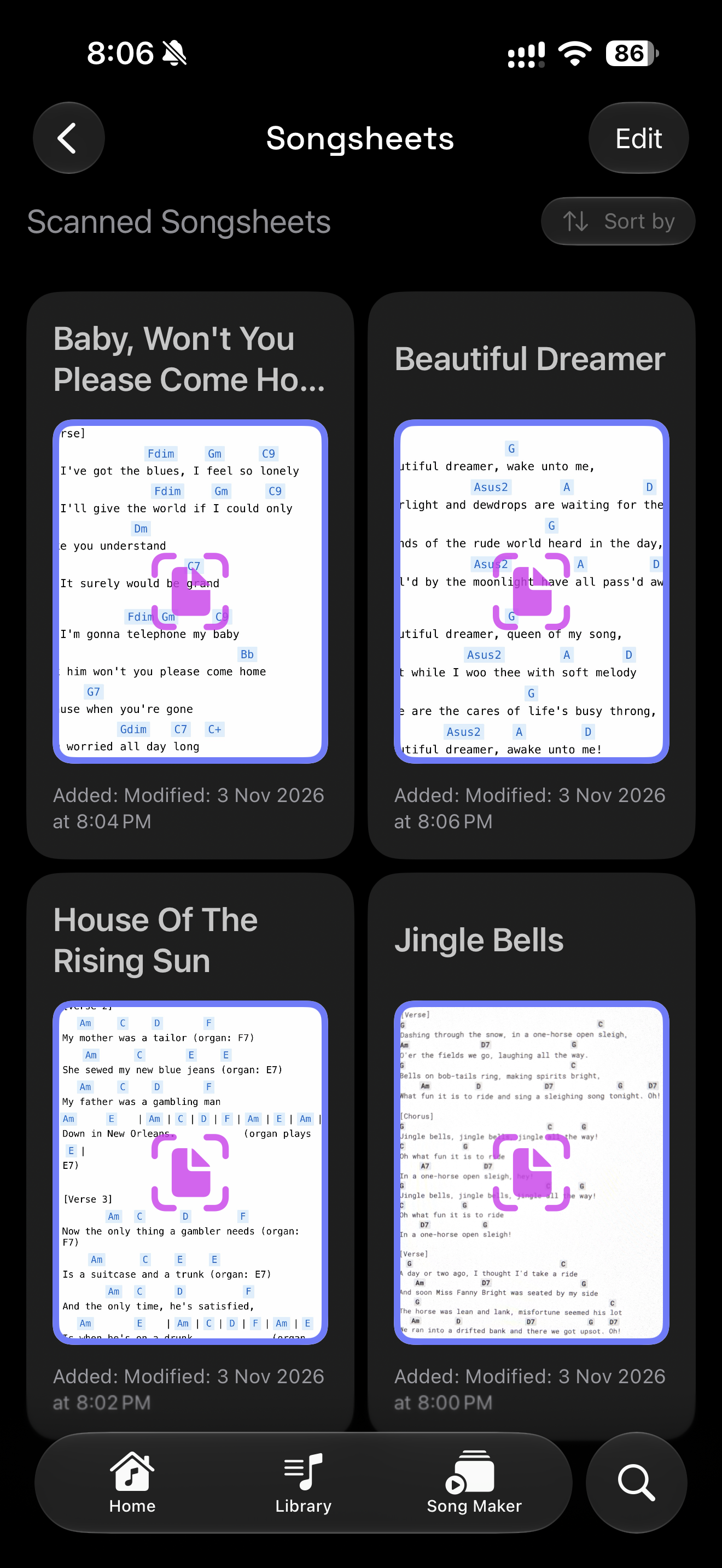
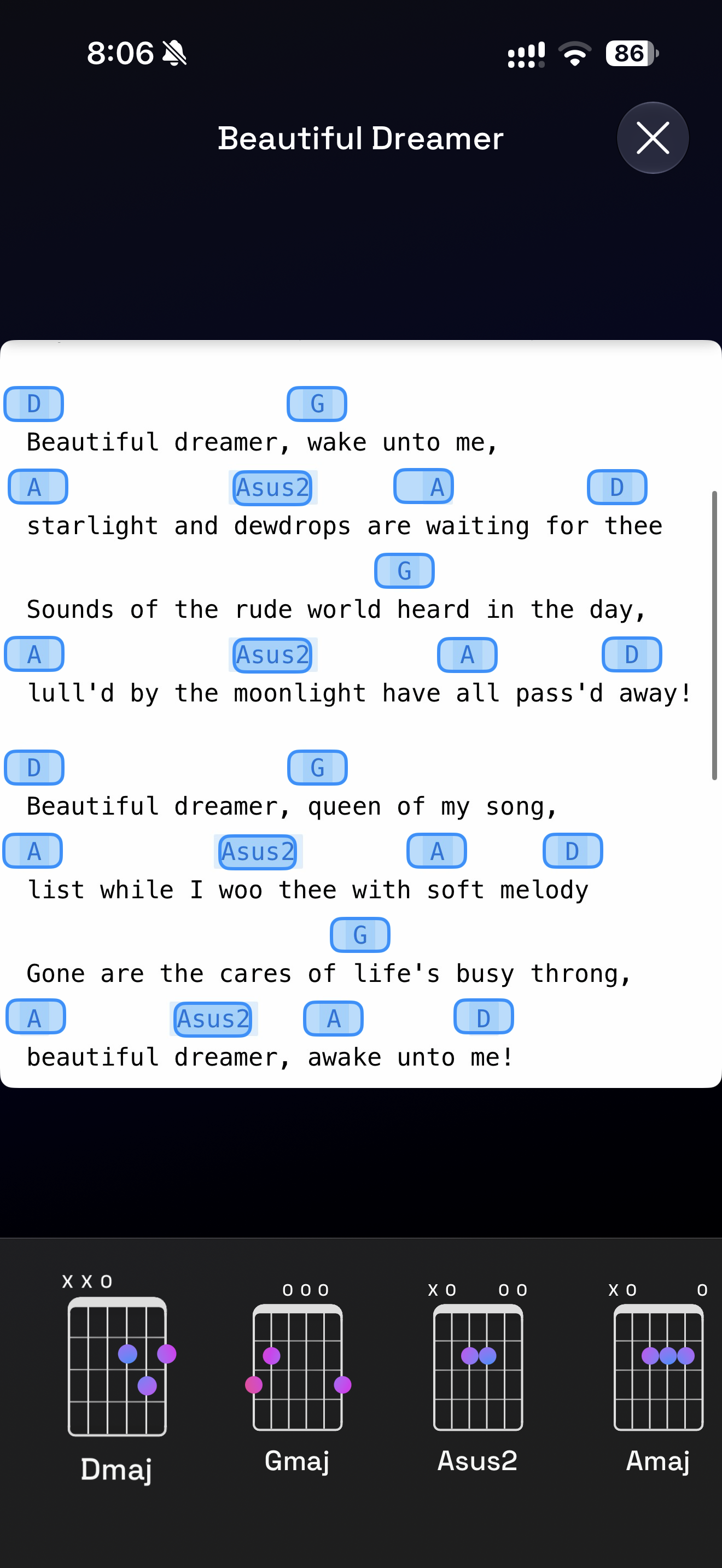
Tap a chord to see its guitar fingering
Select a detected chord to view its diagram, hear its sound, and explore positions in the chord library. This is especially useful when a familiar song introduces a suspended, seventh, or extended chord you have not played before.
The scanner works with chord-name notation on song sheets and lyric charts. It is a tool for understanding chord symbols, rather than a substitute for reading every kind of musical notation. Clear printed text is easier to recognize reliably than faint or highly stylized handwriting; check the results against your sheet before practicing.
Recognize chords from images and screens
Guitar Wiz also supports camera and screenshot chord-recognition entry points. Use a lyric sheet, songbook, screen, or screenshot as a starting point, then open the matching chord in the app to inspect, hear, or save it.
On Mac, the Song Sheet Scanner supports a connected camera and importing images or PDFs from files. The exact entry point depends on the device and source you are using.
Turn a chord chart into practice material
Listen to detected chords, work through unfamiliar shapes, and save useful discoveries in Chord Collections. Practice the changes slowly with the Metronome, or arrange a short practice accompaniment in Song Maker.
The aim is to move from a chord symbol on a page to a shape you can understand and play. Use the scanned chart as your reference while you learn the sequence at a manageable pace.

