
Guitar Wiz iMessage Extension
Find and share guitar chord diagrams inside Messages. Send fingerings, chord names, and string indicators with the Guitar Wiz iMessage extension.
The Guitar Wiz iMessage extension lets you browse guitar chords and send a diagram inside a Messages conversation. It is useful when a bandmate, student, or friend needs a specific fingering rather than only a chord name.
Open the chord library in Messages
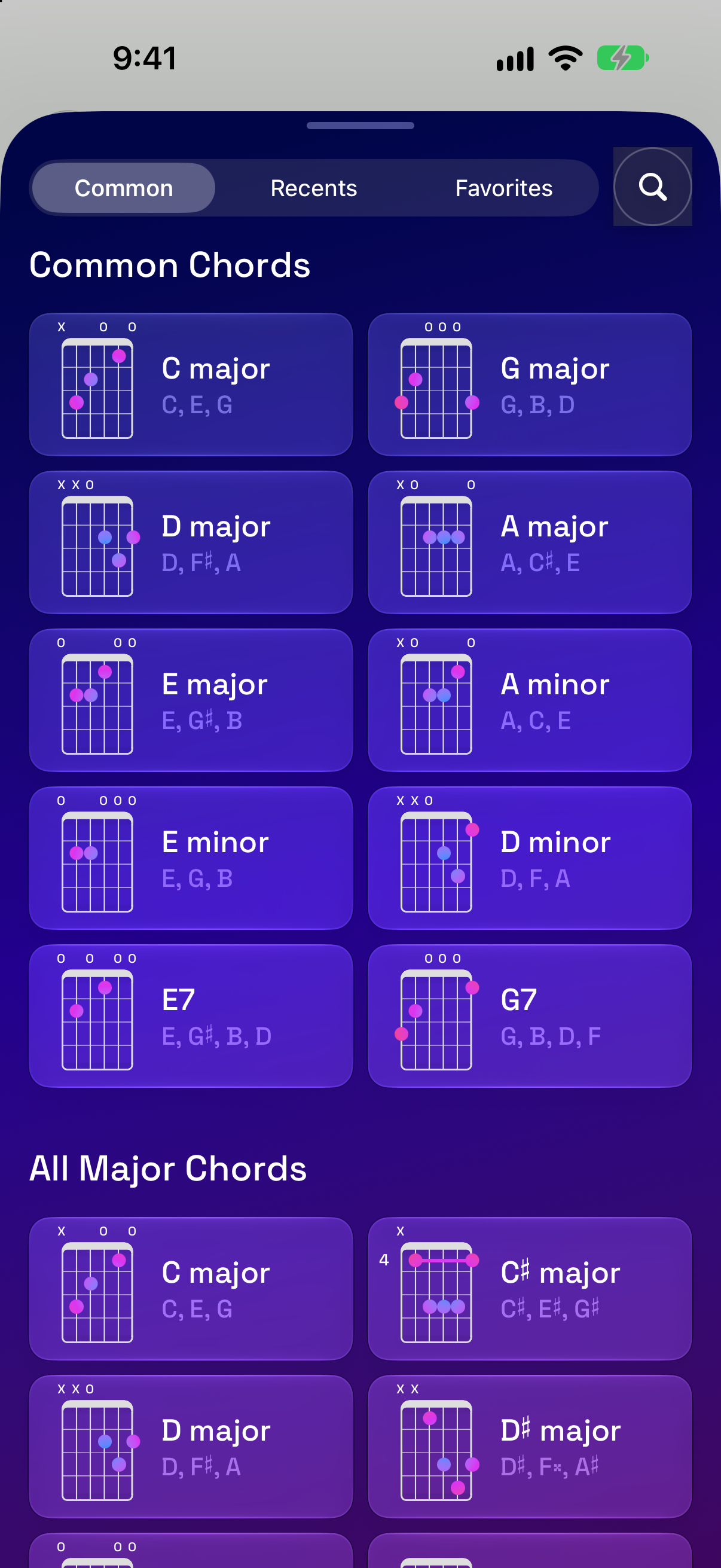
Open a conversation in Messages, find Guitar Wiz among the available iMessage apps, and browse or search for a chord. Common Chords, Recently Viewed, and Favorites provide starting points for reaching a shape you already know or have used in the main app.
Send a clear chord diagram
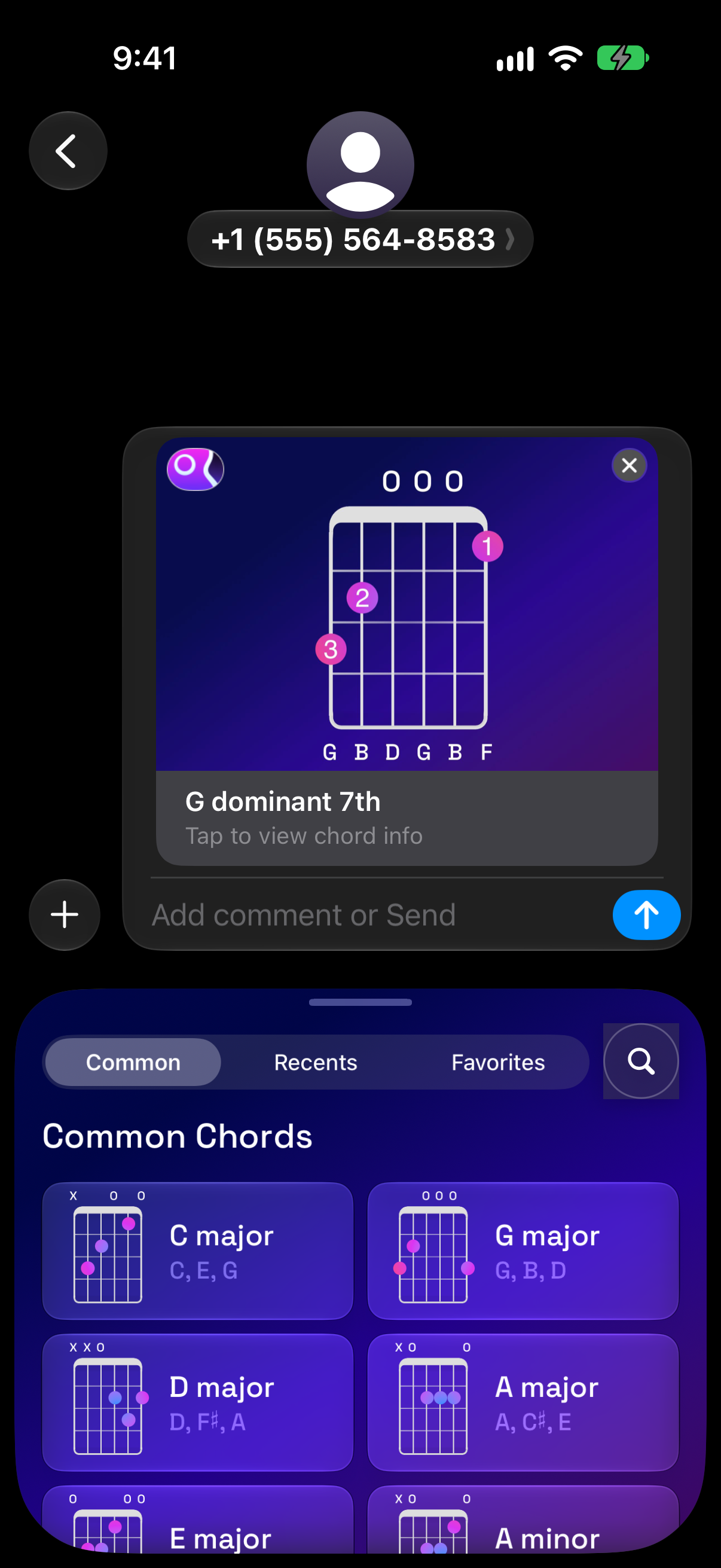
Select a chord and add its diagram to the conversation. The shared image includes the chord name, finger placement, and open or muted string indicators. Add a message when the recipient needs extra context, such as where the chord fits in a verse or which strings to emphasize.
A diagram communicates a particular voicing more clearly than a name alone. Two guitarists can both play G7 while choosing shapes in different places on the fretboard; sharing the diagram makes the intended position visible.
Use it for lessons and rehearsal
A teacher can send a shape for the next lesson, a songwriter can share a voicing for an arrangement, and bandmates can agree on a chord before meeting. The diagram remains in the conversation so the recipient can return to it while practicing.
Use the main Guitar Wiz chord library when you want audio previews, notes, intervals, or alternative positions. Chord Assist adds a way to check the notes on a real guitar after you have received or chosen a shape.
Keep useful shapes easy to find
Save go-to chords as favorites in the app, or organize a larger group in Chord Collections. These workflows help you return to the musical ideas behind a conversation rather than repeatedly searching for the same chords.

